
Many times, seeing “Phone storage full” can be frustrating, especially when you feel you haven’t installed many apps. This problem is very rampant in 2025, especially in phones with storage of 32GB or 64GB, and the good news is that: You can fix it safely, without a factory reset in most cases.
Let’s understand why phone storage gets filled up and what you should and shouldn’t delete.
Why Does Phone Storage Get Full So Fast?
Your phone storage fills up over a period of time – usually unconsciously.
1. Photos & Videos: These are big reasons.
- Picture(s) from camera
- WhatsApp Videos & Images
- Screen recordings
- WhatsApp alone can consume 5–15 GB over time.
2. Data will appear as “Other Files” or “System Data”
This includes:
- App cache
- Temporary files
- Old update files
- Thumbnails
This is why many users see: “Phone storage full but nothing installed”?
3. App Cache & App Data
Apps such as:
- YouTube
- Chrome
… stores cache that grows up silently.
4. Phone Storage Full After Update
After an update of the system:
- Old update files are not cleared out
- Apps rebuild cache
This temporarily increases storage usage
Phone Storage Full but Nothing Installed: How is that Even Possible?
This is one of the highly searched phone problems in India.
It does this because:
- Media files hide in WhatsApp folders.
- Cache will build up
- “Other” files are not visible.
Your phone is not broken, it is just that the storage is mismanaged

How to Fix Phone Storage Full Issue Step-by-Step
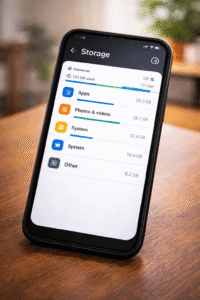
1. Check What’s Using Storage
Go to: Settings → Storage
See which category is using the most space:
- Photos & Videos
- Apps
- Other / System
2. Clean WhatsApp Storage (very important)
WhatsApp → Settings → Storage and data → Manage storage
Delete:
- Large Videos
- Attached files
- Unecessary media
- Do not manually delete WhatsApp system files.
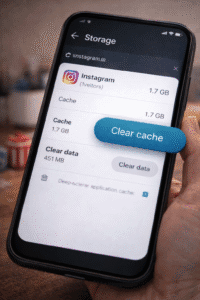
3. Clear App Cache (Safe Method)
For the individual applications: Settings → Apps → Chosen app → Storage → Clear cache.
Do NOT tap “Clear data” unless you know what it does.
4. Remove Duplicate & Unused Files
Remove:
- Duplicate photos
- Old screenshots
- PDFs Downloaded
- APK files
Recommended: It would be nice if they could use built-in file managers or Google Files.
5. Cloud or PC transfer
- Google Photos
- Google Drive
- Laptop/External Storage
This frees up space immediately.
6. Uninstall Unused Apps: Remove-
- Old games
- Pre-installed bloatware-if allowed
- Shopping applications used once
What NOT to Delete When Storage Is Full?
- System Folders
- Android folder
- WhatsApp databases
- DCIM system files
This can be done by deleting:
- Break apps
- Cause crashes
- Lose data
When Should You Factory Reset?
The last option should be a factory reset, only if:
- Storage is full even after cleaning
- Very slow phone
- You have backed everything up
How to Prevent Phone Storage Full Issue in Future
- Clean WhatsApp every month
- Clear the app cache regularly
- Blur photos to cloud storage
- Avoid unnecessary application
- Keep at least 20% storage free

Conclusion:
The “phone storage full” problem is common, but it’s fixable. You do not need to buy an additional phone or perform a factory reset.
Taking appropriate steps will safely free up storage, improve performance, and avoid the return of the issue.
Google Official Android Help- https://support.google.com/android/answer/7431795
Google Files App Official- Storage Cleaner- https://play.google.com/store/apps/files-by-google
Disclaimer: The information provided in this post is based on publicly available sources official websites and our own opinions. While we strive to keep it accurate and up to date, readers are encouraged to cross-verify details as updates or changes may occur over time.
Related posts- How to Make Your Android Battery Last Longer (2025 Expert Guide to Reduce Battery Drain)
Locate Phone Easily in 2025 – Step-by-Step Android & iPhone Methods.
How to Fix a Phone Charger: 2025 Complete Guide