
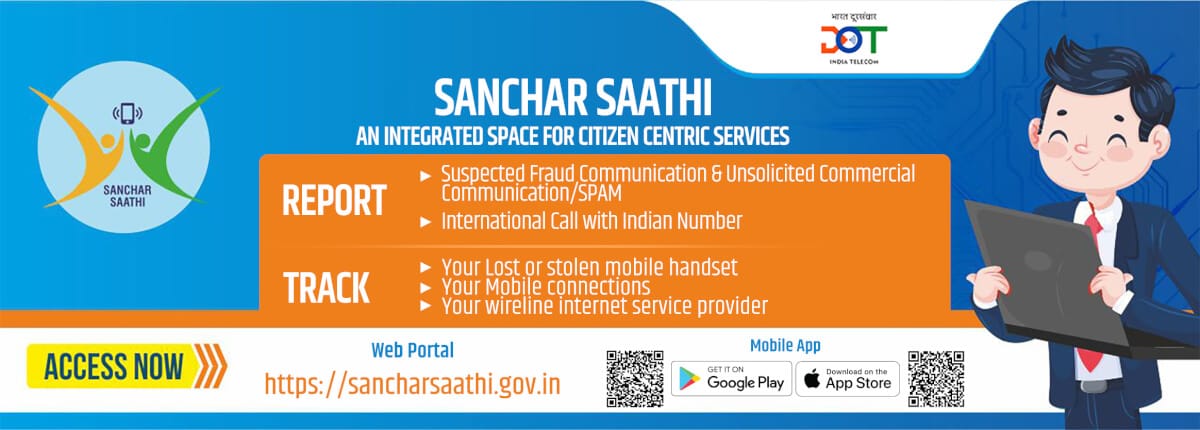
Sanchar Saathi is the official mobile safety platform launched by the Government of India to help the citizens.
It will be useful to:
Block a lost or stolen mobile phone
Track the mobile device using IMEI number
Check whether a phone is genuine or cloned
Identify any fraud SIM cards issued in your name
Protect yourself from mobile-related cybercrime.
What Is Sanchar Saathi? (Simple Explanation)
Sanchar Saathi works with the help of the CEIR system (Central Equipment Identity Register) which stores IMEI details of all mobile devices in India. It is free, official, and safe for every mobile user.
Key Features of Sanchar Saathi
✔ 1. Block Lost or Stolen Mobile
If your mobile phone is lost or stolen, you can instantly block it through Sanchar Saathi. This will prevent any misuse of your device or SIM cards.
✔ 2. Check IMEI Status
So before you buy a new or second-hand phone, you can use Sanchar Saathi to:
- Verify authenticity of the IMEI number
- Check if the phone is blacklisted
- Verify if it is any stolen device
- This helps avoid scams and fake mobile phones.

✔ 3. Track SIM Cards Issued in Your Name
You can check how many SIM cards are registered with your Aadhaar-linked mobile number and you can report any suspicious ones.
✔ 4. Recover a Lost Mobile Phone
Once the police tracks your device, the IMEI can be unblocked through the same portal.
Is Sanchar Saathi Safe?
Yes. Sanchar Saathi is an official government platform designed for the safety of the public. It does NOT track users, spy on phones, or collect personal data beyond what is needed for blocking or verifying devices.
Everything works through IMEI, which is your phone’s hardware ID, NOT your personal content.


How to Use Sanchar Saathi: Step-by-Step Guide
1. How to Check IMEI on Sanchar Saathi
This is useful when buying a phone or checking if your mobile is genuine.
Step 1: Go to the official website
Step 2: Click “Know Your Mobile (KYM)”
Step 3: Enter your IMEI number (You can find it by dialing *#06# on your phone)
Step 4: View IMEI information:
- Device brand
- Model
- Blacklist status
- Manufacturing details
If it shows “Blacklisted”, avoid buying the device.
2. How to Block a Lost or Stolen Mobile on Sanchar Saathi
Step 1: Open the Sanchar Saathi portal
https://sancharsaathi.gov.in
Step 2: Go to “Block Lost/Stolen Mobile”
Step 3: Fill in required details:
- Mobile number
- IMEI number
- SDevice brand + model
- FIR number / Police complaint ID
- Owner details
Step 4: Upload your ID proof & FIR copy
Step 5: Submit the request
Your phone’s IMEI will be blocked across all networks in India within a few hours.
This means:
- No one can use your SIM
- No one can use data or calls
- The phone becomes unusable on Indian telecom networks
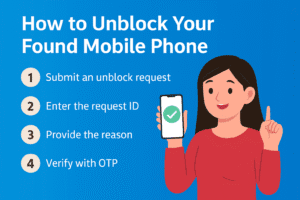
3. How to Unblock Your Found Mobile Phone
If your lost phone is recovered:
Step 1: Go to Unblock Found Mobile on Sanchar Saathi
Step 2: Enter request ID
Step 3: Submit proof that you have your device
The IMEI will be unblocked within 24–48 hours.
4. How to Check SIM Cards Issued in Your Name
Step 1: Open Sanchar Saathi
Step 2: Click “Telecom Analytics for Fraud Management” (TAFCOP)
Step 3: Enter mobile number
Step 4: Verify using OTP
Step 5: You will see: SIM cards linked to your identity/ Option to report SIMs you don’t recognise
This protects you from SIM fraud and identity misuse.
Why You MUST Use Sanchar Saathi (Benefits for Every Indian)
- Helps recover lost phones quickly
- Protects your data
- Prevents phone misusue
- Helps avoid buying stolen devices
- Warns you about fake or cloned IMEI phones
- Ensures safety when buying second-hand phones
The recent controversy around Sanchar Saathi began when reports claimed that the app might become mandatory on all new smartphones sold in India, which raised concerns among users about privacy, permissions, and loss of choice. Following public discussion, the government clarified that Sanchar Saathi is completely optional, can be downloaded voluntarily, and requires user consent for its features.
Conclusion:
Sanchar Saathi is one of the most important mobile security tools every Indian should know about.
It makes it easy to:
- Block lost or stolen phones
- Verify phone authenticity
- Protect your identity
- Avoid mobile fraud
For mobile users, second-hand buyers, and anyone concerned about safety, Sanchar Saathi is extremely useful and worth knowing. This guide explains everything step-by-step, so you can use the platform confidently and safely.
Frequently Asked Questions (FAQ)
1. Is Sanchar Saathi free to use? Yes, it is completely free.
2. Can I track my phone’s live location? No. Sanchar Saathi blocks and verifies IMEI — it does not track your real-time location.
3. Is it safe to enter my IMEI on the portal? Yes. This is the official IMEI verification system approved by the Government of India.
4. Can I block a stolen phone without an FIR? Some states allow online police complaint numbers, but FIR is normally required.
5. How long does it take to block a phone? Usually a few hours.
Disclaimer: The information provided in this post is based on publicly available sources official websites. While we strive to keep it accurate and up to date, readers are encouraged to cross-verify details as updates or changes may occur over time.
Related posts- How to Sell Your Old Mobile Phone in India (2025 Step-by-Step Guide)
How to Make Your Android Battery Last Longer (2025 Expert Guide to Reduce Battery Drain)